AV facilities in your hotel meeting room: what organizers expect
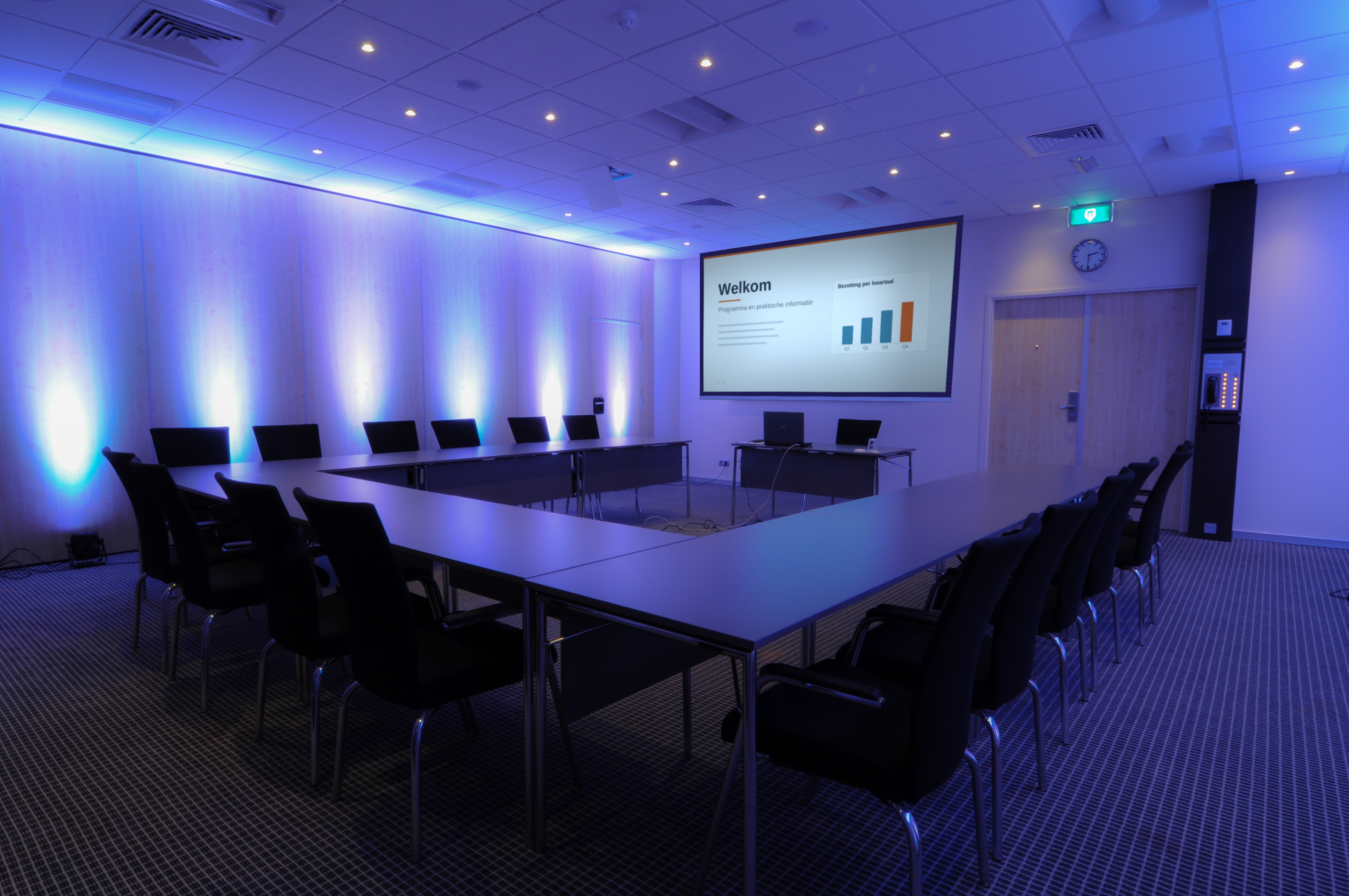
These days, organizers judge a hotel meeting room as much on its technology as on its capacity and catering. The AV facilities in a hotel room that most often tip the scales are sightlines and screen size, speech intelligibility, a dedicated network for livestreams, sufficient power and rigging points, and clarity regarding what is permanently installed. Those who have these five points in order and documented will win inquiries that would otherwise go to the competition.
In our sixty-plus years of experience with rentals and permanent installations, we have seen many rooms that look perfect on paper but fall short in practice. This is usually not due to the equipment, but to the room itself. A ceiling that is too low, a single power circuit behind the buffet, or a guest network that crashes at six in the evening because the entire floor is streaming.
This blog is intended for anyone who sells or manages meeting rooms from a hotel perspective: sales and MICE managers, banqueting staff, and the technical team that ultimately has to solve the problems. This is not a product list, but a guide to the questions you will receive and why they are being asked.
Why technology is increasingly determining venue selection
The average meeting has become more technical in recent years. An internal meeting now includes remote participants, a conference is recorded for later use, and an international session requires translation. Where an organizer used to look primarily at square footage, the conversation now turns to bandwidth and rigging points within two minutes.
This also shifts the responsibility. Organizers bring their own technical partner or hire equipment, but they expect the room to be able to support that technology. A hotel that cannot provide a clear answer to these requirements is dropped from the shortlist before a site visit even takes place.
Visuals: sightlines determine screen size, not the other way around
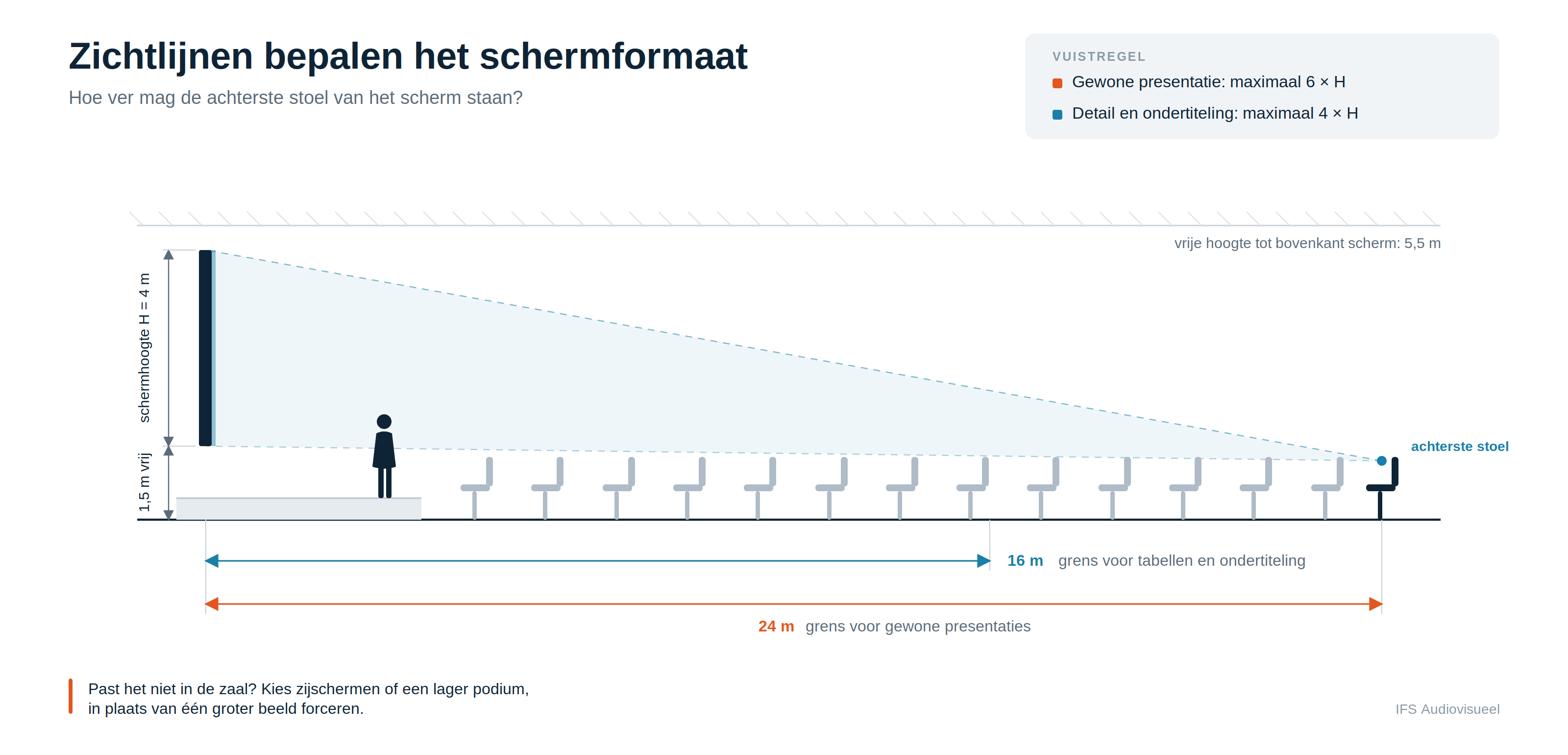
The most common mistake is choosing a screen based on what fits, rather than on what the back row can still read. A useful rule of thumb: the distance from the screen to the back row should be a maximum of six times the screen height for standard presentations, and a maximum of four times if the content includes details like tables or subtitles.
Calculate this for your own room. In a room 24 meters deep, you will quickly need a screen height of four meters, and you will also want to keep one and a half meters of clearance below that screen so that people in the back aren't looking at the backs of heads. Without a ceiling height well over four meters, that is not possible with a single screen. The solution is not to force a larger image, but to use side screens or a lower stage setup. Know which of these scenarios works in your room, and you won't have to guess when an inquiry comes in.
Sound: speech intelligibility comes before volume
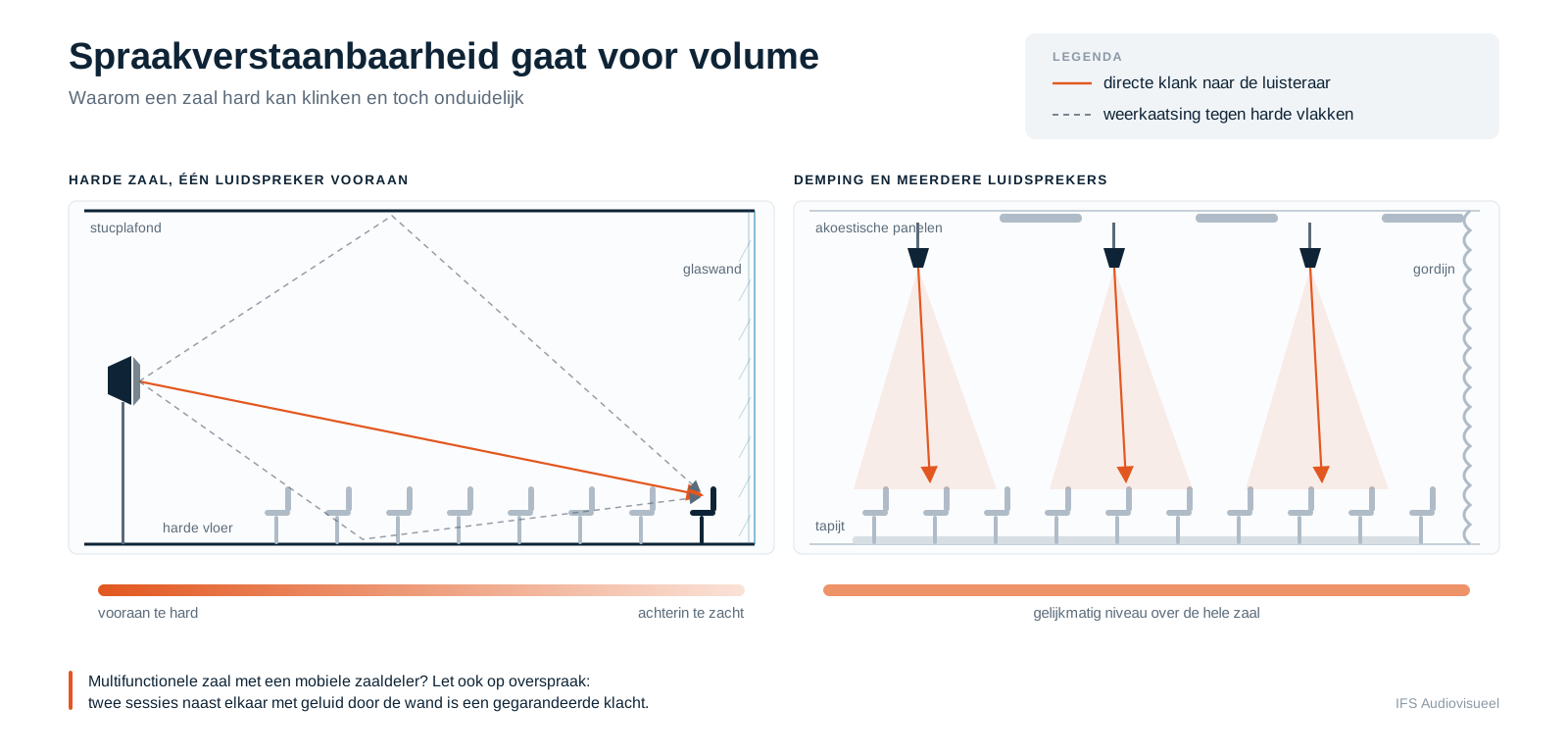
For conferences and meetings, clarity is everything—not volume. Rooms with lots of glass, plaster ceilings, and hard floors sound harsh yet muffled because reverberation causes words to overlap. You only really notice this when the room is full and a soft-spoken speaker takes the stage.
There is almost always a solution that doesn't require renovation: curtains, carpeting, acoustic panels on the back wall, or a speaker setup that distributes sound throughout the room instead of blasting it from a single point. What you really need to know is how your room behaves. An organizer asking about acoustics isn't looking for a technical report; they want an honest answer.
Also, consider multifunctional rooms with mobile partitions. If you have two sessions running side-by-side with a wall that lets sound through, you are guaranteed to receive complaints.
Network and power: the essentials that go unnoticed until they're missing
Livestreams and hybrid sessions live or die by the network. Guest Wi-Fi isn't suitable for this, as it shares bandwidth with all other rooms and is rarely guaranteed. What does work is a wired connection with reserved upload speed, separate from the guest network. For a stable full HD stream, about 10 Mbps upload is sufficient, but count on more than double that if you are also running interpreters, cameras, and cloud recordings.
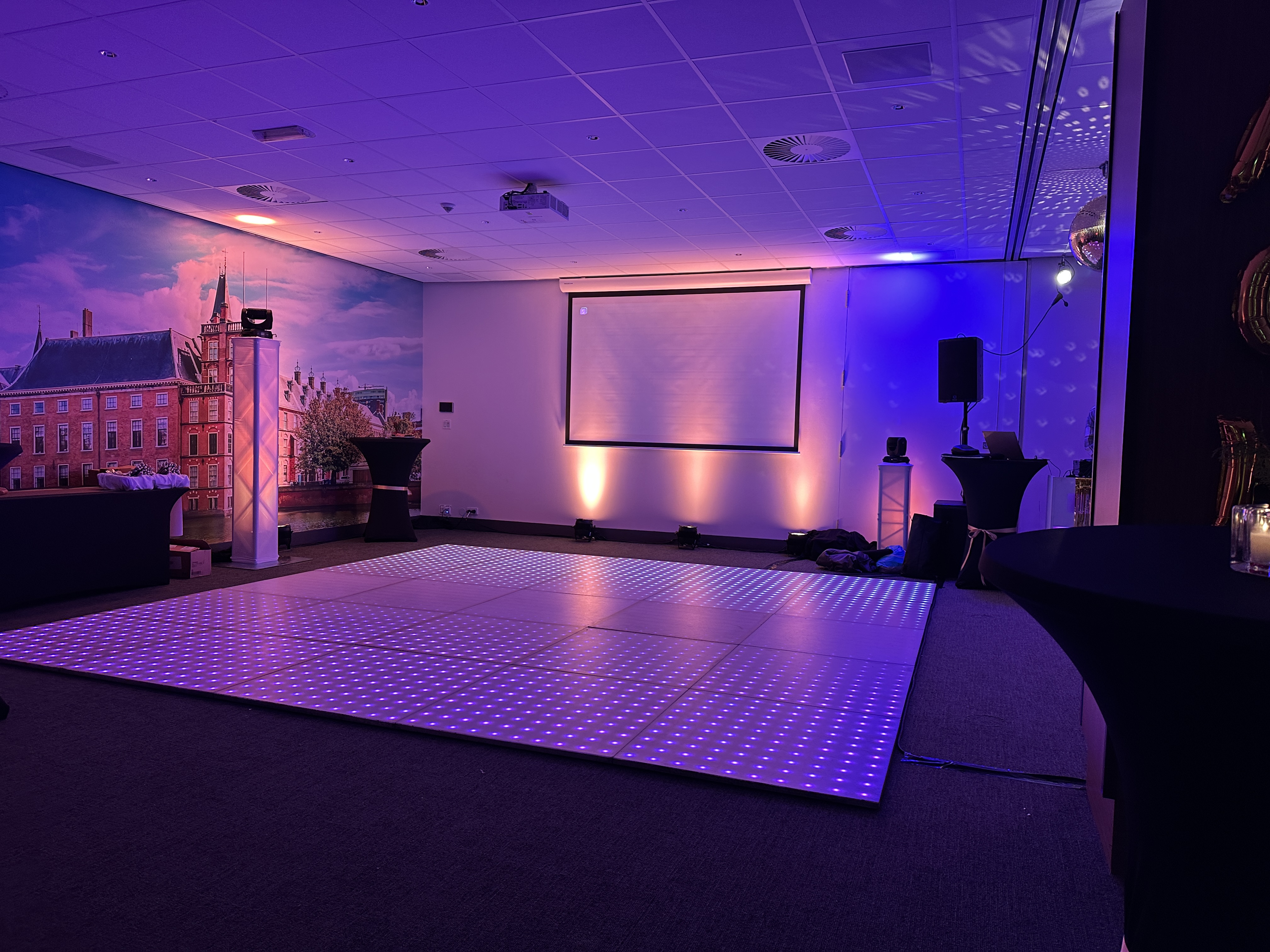
Power is the second point. A room with only wall outlets on a single circuit is fine for a projector, laptop, and some AV, but not for a lighting plan with twenty fixtures and a sound system or an LED floor. Often, warming plates, coffee machines, and refrigerators are also placed in the room, and these consume a lot of power as well. A three-phase power connection near the stage is not a luxury for larger rooms. If you don't know what's available, ask your installer and get it in writing. It will save you from arguments on the day of the event.
Hybrid, recording, and multilingualism
More and more requests include some form of recording or broadcasting. The minimum requirement to facilitate this is a fixed position at the back of the room for a camera with a clear view of the stage, an audio output from the mixing console, and that wired network connection. If those are missing, you'll end up with a tripod in the middle of the aisle.
International organizations also often require simultaneous interpretation. Mobile interpreter booths compliant with ISO 4043 are about 1.6 by 1.6 meters each and need a view of the stage. Two languages mean two booths, so reserve that space in your floor plan instead of trying to cram them into a corner later.
Accessibility belongs on that same list. An induction loop or a modern wireless alternative like Auracast makes your room usable for visitors with hearing aids. For government agencies and NGOs, this is frequently a strict requirement in the request.
Create a technical venue sheet
Everything mentioned above only pays off if an organizer can read it without having to call you. A technical venue sheet for each room—detailing dimensions, ceiling height, rigging points, maximum load, power circuits, network connections, fixed AV equipment, blackout capabilities, and loading/unloading routes—answers half of their questions in advance. Include a floor plan with measurements, and you’ll be on their shortlist before the competition has even returned their call.
Deciding what to own versus what to rent is a separate consideration. Fixed installations pay off in rooms used almost daily for similar types of meetings. For peak periods and special requests, renting remains more cost-effective, especially since it allows you to keep pace with technological advancements rather than being stuck with eight-year-old equipment.
In conclusion
The hotels that score best on business inquiries are rarely the ones with the most expensive equipment. They are the hotels that know exactly what their rooms are capable of, document it clearly, and communicate in a timely manner what needs to be rented. The rest is just technology, and that’s what specialists are for.
If you are considering a fixed installation or want to know what is possible in your rooms, we would be happy to help. We will come by, take measurements, and explain the benefits.
Frequently asked questions
What are the minimum AV requirements for a hotel meeting room?
A projection screen or display suited to the room's depth, a sound system with at least two wireless microphones, blackout curtains, sufficient power circuits near the stage, and a wired network connection separate from the guest network. Anything beyond that can be rented per event.
Is guest Wi-Fi sufficient for a livestream from a hotel room?
No. Guest Wi-Fi shares bandwidth with all the rooms and offers no guarantee on upload speed. For a reliable stream, you need a wired connection with reserved upload bandwidth, preferably on a separate network.
How large should the screen be in a meeting room or conference hall?
Base it on the distance to the back row. For standard presentations, that distance should be a maximum of six times the screen height; for tables and subtitles, a maximum of four times. In deep rooms, side screens are often more practical than a single large display.
Is it better to buy AV equipment or rent it per event?
A permanent installation pays off in rooms that are used intensively and in the same way every time. For peak periods, large productions, and special requirements, renting is more cost-effective, as you always work with up-to-date equipment without the burden of depreciation and maintenance.
How much space does simultaneous interpretation require in a room?
Count on approximately 1.6 by 1.6 meters per mobile interpreter booth according to ISO 4043, with a clear view of the stage. An additional booth is needed for each extra language.